
How to Organize Your Email Inbox (and Actually Keep It That Way)
· Written by Matt Senter, creator of Premail
Most advice about organizing your email inbox stops at "make some folders." That is the easy part. The hard part, the part that makes every system collapse after two weeks, is the sorting. You build a beautiful folder structure on Sunday, and by Friday everything has piled back up in the inbox because hand-filing email is a chore nobody keeps up with.
So this guide does two things. First, a simple structure that works for almost any inbox. Second, and more importantly, how to keep that structure intact without becoming your own full-time mail clerk. Gmail-specific clicks live in how to clean up a Gmail inbox. Outlook-specific tools live in how to organize Outlook email. The habit that makes any system fail, checking because a badge twitched, is a separate problem.
First, decide what an inbox is for
The single decision that fixes most inbox chaos: your inbox is only for things that need you. Not things you might read later. Not receipts you might need at tax time. Not newsletters, notifications, or "thanks!" replies. Just the small set of messages that genuinely want a decision or a response from you.
Everything else still arrives. It just has a home that is not the front page. Once you accept that premise, organizing becomes mechanical: every message is either for the inbox, or it belongs in one of a handful of buckets.
The five folders that cover 90% of email
You do not need twenty nested folders. Most people are well served by five:
- Receipts: order confirmations, invoices, payment notices. You want these searchable, not in your face.
- Reading: newsletters and digests. Skim them on a Sunday with coffee, not mid-sprint on a Tuesday.
- Notifications: automated alerts from the tools and services you use. Useful in bulk, noise one at a time.
- Quarantine: cold outreach, recruiter spam, and pitches. Look when you are curious, never when you are trying to focus.
- Archive: anything resolved. Routine acknowledgements and finished threads leave the inbox the moment they are done.
That is the whole structure. Add a folder only when you notice a real, recurring category that none of these cover. Resist the urge to pre-build folders for email you do not actually get.
The best way to organize email: sort on arrival, not after
Here is where most systems break. People try to organize email by going into the inbox and filing things after they have piled up. That is the slowest, most tedious possible moment to do it. By then there are 300 messages and the task feels like cleaning out a garage.
The better approach is to sort on arrival, so a message lands in the right place before you ever see it. Two ways to do that:
- Rules and filters. Every major mail client (Gmail, Outlook, Apple Mail) lets you write rules: "if from this sender, move to Receipts." Good for predictable, repetitive senders.
- Bulk unsubscribe. The cleanest folder is the one you never have to file. Cut the newsletters you do not read instead of routing them.
Filters work, but they are brittle. They match on exact senders and subject lines, so the moment a sender changes its "from" address or a new pitch arrives from a name you have never seen, the rule misses and the message lands in your inbox anyway. You end up maintaining a growing pile of filters, and eventually you stop, and the inbox swallows everything again.
A 30-minute setup that holds
If you want to do this once and have it stick, here is the order of operations:
- Create the five folders above (or labels, in Gmail).
- Bulk unsubscribe from everything you have not opened in the last three months. Be ruthless. You can always resubscribe.
- Archive the backlog. Select everything older than two weeks and archive it in one move. It is searchable forever; it does not need to sit in the inbox. This is the "email bankruptcy" move and it is liberating.
- Set up sorting for the obvious recurring senders: receipts, notifications, newsletters.
- Turn off notification badges. An organized inbox you check compulsively is still a stressful inbox.
Twenty to thirty minutes, and the inbox is empty and structured. The question is what happens next week.
Keeping it organized without doing the sorting yourself
This is the part that determines whether your system survives. Sorting email by hand, or maintaining an ever-growing list of brittle filters, is exactly the kind of repetitive judgement that wears people down.
It is also exactly what modern AI is good at: looking at each incoming message and deciding, in plain terms, which bucket it belongs in. Not by matching an exact sender against a rule, but by actually reading the message the way you would and asking "is this a receipt? a cold pitch? a newsletter? something that needs a reply?"
That is what Premail does. It runs as a quiet companion app on your own computer, watches your inbox, and applies your rules to every new message before it reaches you, in your existing folders, using an AI model you choose (including a fully local one with Ollama, so your email never leaves your machine). You describe the kinds of things you care about in plain English; it does the sorting. No cloud service in the middle, no per-inbox subscription, free for personal mail.
The structure in this guide is the same whether you maintain it by hand or hand it to software. The difference is whether you are still doing it in three months.
What this looks like in a real mail client
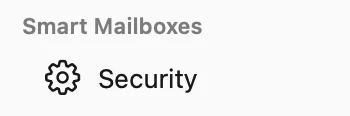
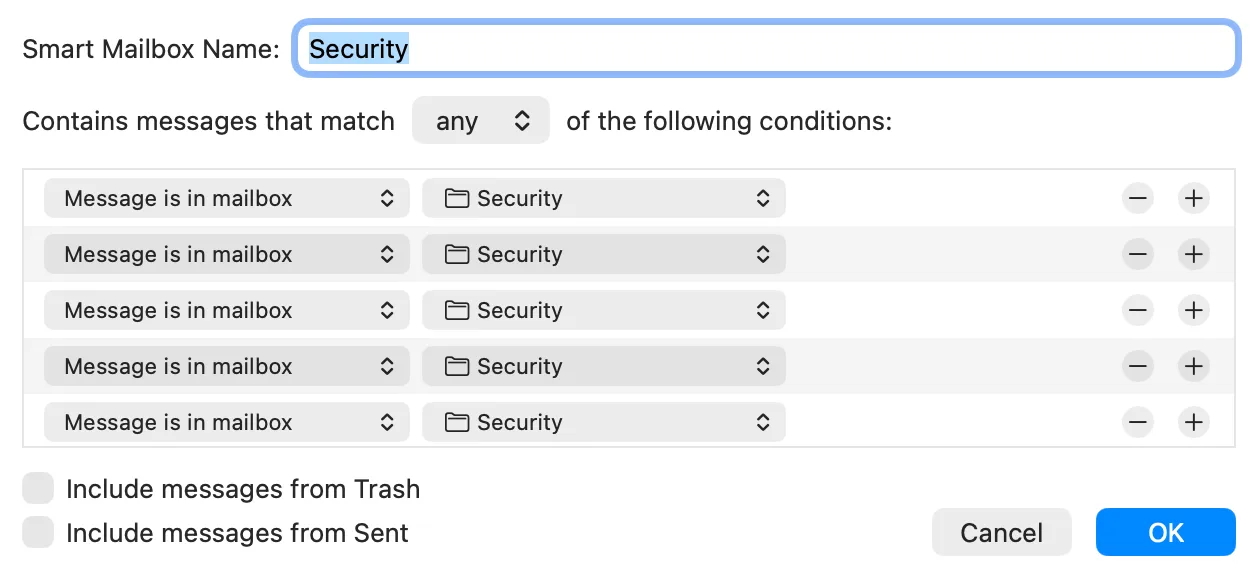
Folders only help if you can see them while you work. In Apple Mail I keep a small set of mailboxes in the sidebar and, when one category spans several accounts, a Smart Mailbox that gathers them. The screenshot below is the Security mailbox I actually watch for one-time codes: one row, not a folder per account.
Building that Smart Mailbox is a few "Message is in mailbox" conditions. The point is not Apple Mail trivia. The point is that the structure has to show up in the client you already open, or you will ignore it.
Why five folders beat twenty nested ones
Nested folder trees feel productive on a Sunday. They die on a Tuesday because filing requires a decision: is this "Vendors / Stripe / 2026 / Invoices" or "Finance / Receipts / Software"? Every extra folder is another chance to hesitate, file it wrong, or leave it in the inbox "for later."
Five folders force a coarse, repeatable judgement. Receipt or not. Reading or not. Notification or not. Suspicious or not. Done or not. That is enough to get mail out of the inbox. Search and the sender name recover anything you need later. I have never once wished I had filed a shipping confirmation into a deeper tree; I have often wished I had archived it on arrival.
If you already have a jungle of folders, do not migrate them. Leave the old tree in place as a graveyard, create the five new ones, and start filing new mail there. Old mail can stay where it is. Search still finds it.
The 30-minute cleanup, slower and more honest
People stall on inbox organization because they try to read their way out. That is how you spend a Saturday and still have 4,000 unread. The honest sequence is mechanical, and it is the same on Gmail, Outlook, and iCloud:
- Create the five folders or labels. Do not customize yet.
- Search the last 90 days for the noisiest senders and unsubscribe or trash in bulk. Do not open the messages.
- Archive or trash everything older than two weeks in one move. This is email bankruptcy. It is allowed.
- Turn off lock-screen and badge notifications for Mail. If something is actually urgent, the person will text or call.
- Write three rules you can say out loud: receipts, newsletters, cold pitches. That is enough for week one.
Gmail's from: and older_than: operators make steps 2 and 3 faster; the Gmail spoke walks through the clicks. Outlook's Sweep and Focused Inbox cover the same ground with different names. The structure does not change.
Rules that read the message, not the envelope
Client filters match a sender or a subject line. They fail the first time a store uses a new "from" address, a recruiter writes from Gmail, or a newsletter puts "Re:" in the subject. You then add another filter, and another, until you stop.
The durable version is a rule that looks at the message the way you would. In Premail that is a plain-English rule plus an action. Each rule has a strength slider and a destination: Archive, Trash, Move, Quarantine, Label, or Mark as Read. You can run them in Learning mode first, so nothing moves until you trust the calls.
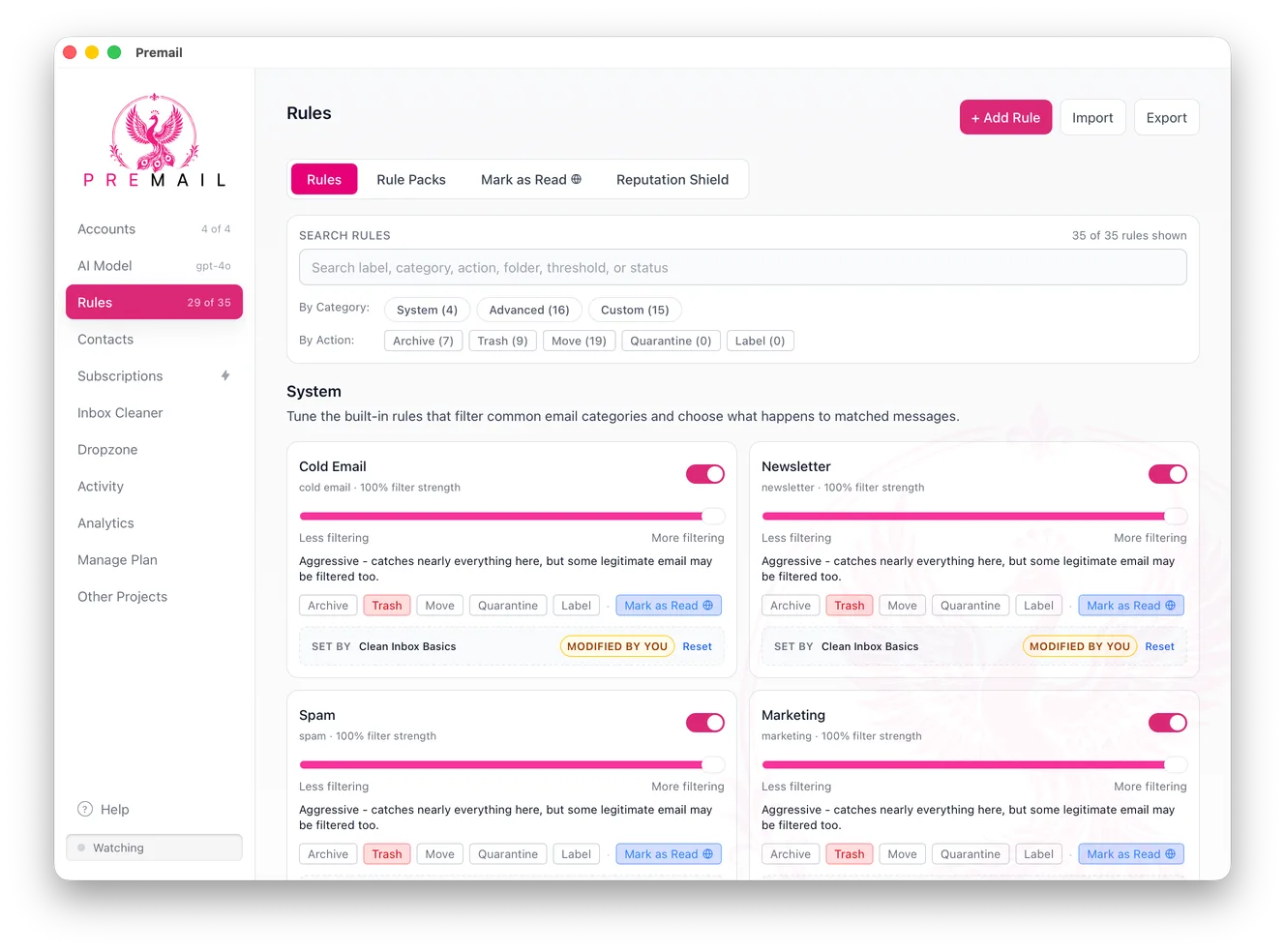
I keep cold email, newsletters, and marketing on Archive or Quarantine, and I leave personal mail untouched. Known senders can be allowlisted so a rule never fires on people I actually know. The screenshot is the screen I use, not a mock.
Cleaning the backlog is a different job from sorting new mail
Organizing an inbox is two problems that get mashed together. Sorting new mail is a daily habit. Cleaning the pile that is already there is a one-time project. Doing both with the same "I will just file a bit every evening" plan is why the pile never moves.
For the pile, pick a window (7, 30, 90 days) and run your rules backwards. Inbox Cleaner is that pass in Premail: choose the accounts, choose how far back, scan, review, apply. It is the same judgement you would use by hand, pointed at mail that already landed.
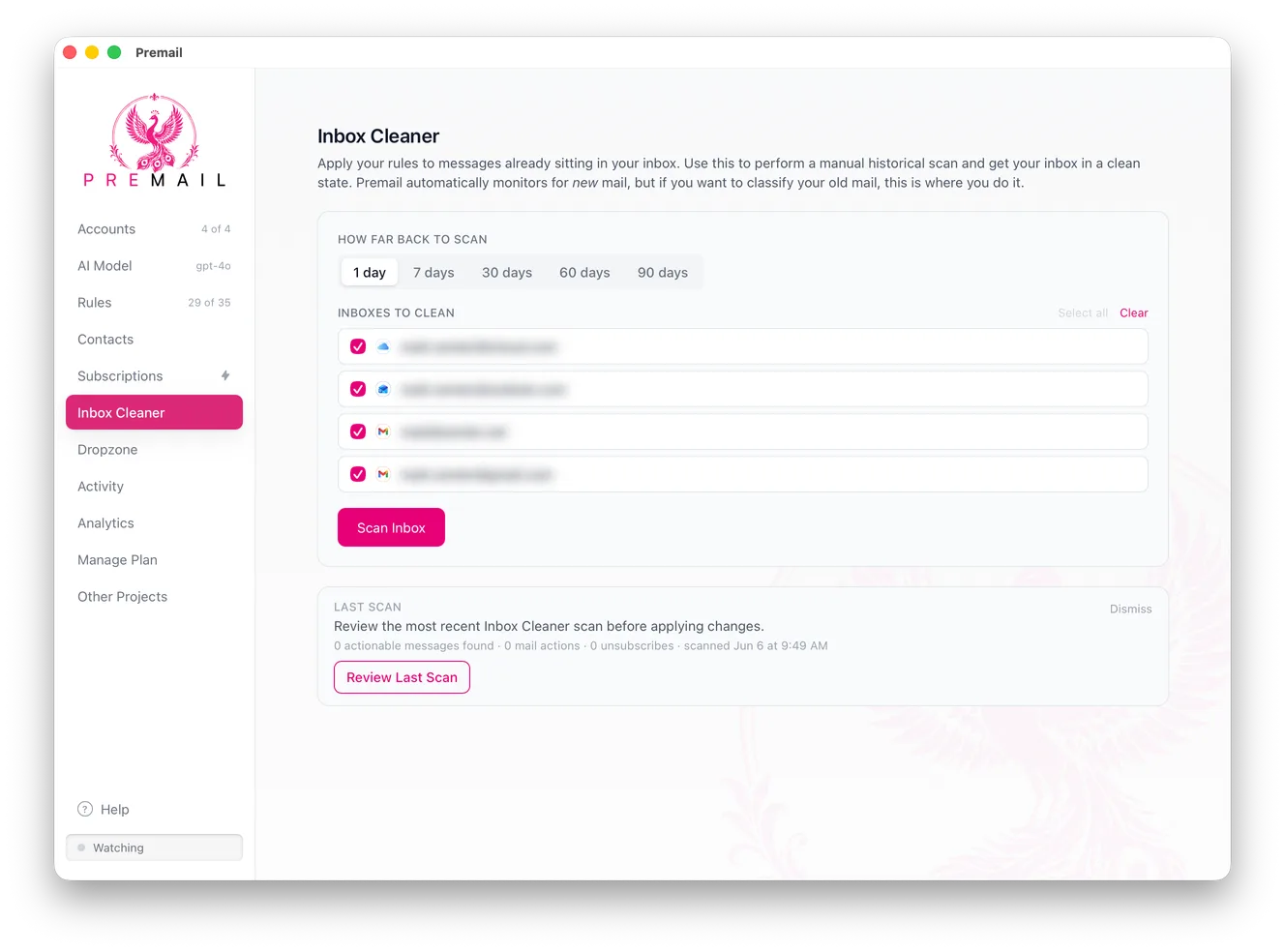
After that pass, new mail is the only remaining problem, and that is what the arrival rules are for.
Unsubscribe is organization you only do once
A folder full of newsletters you do not read is not organization. It is a prettier pile. The cleanest version of Reading is the lists you actually open. Everything else should stop arriving.
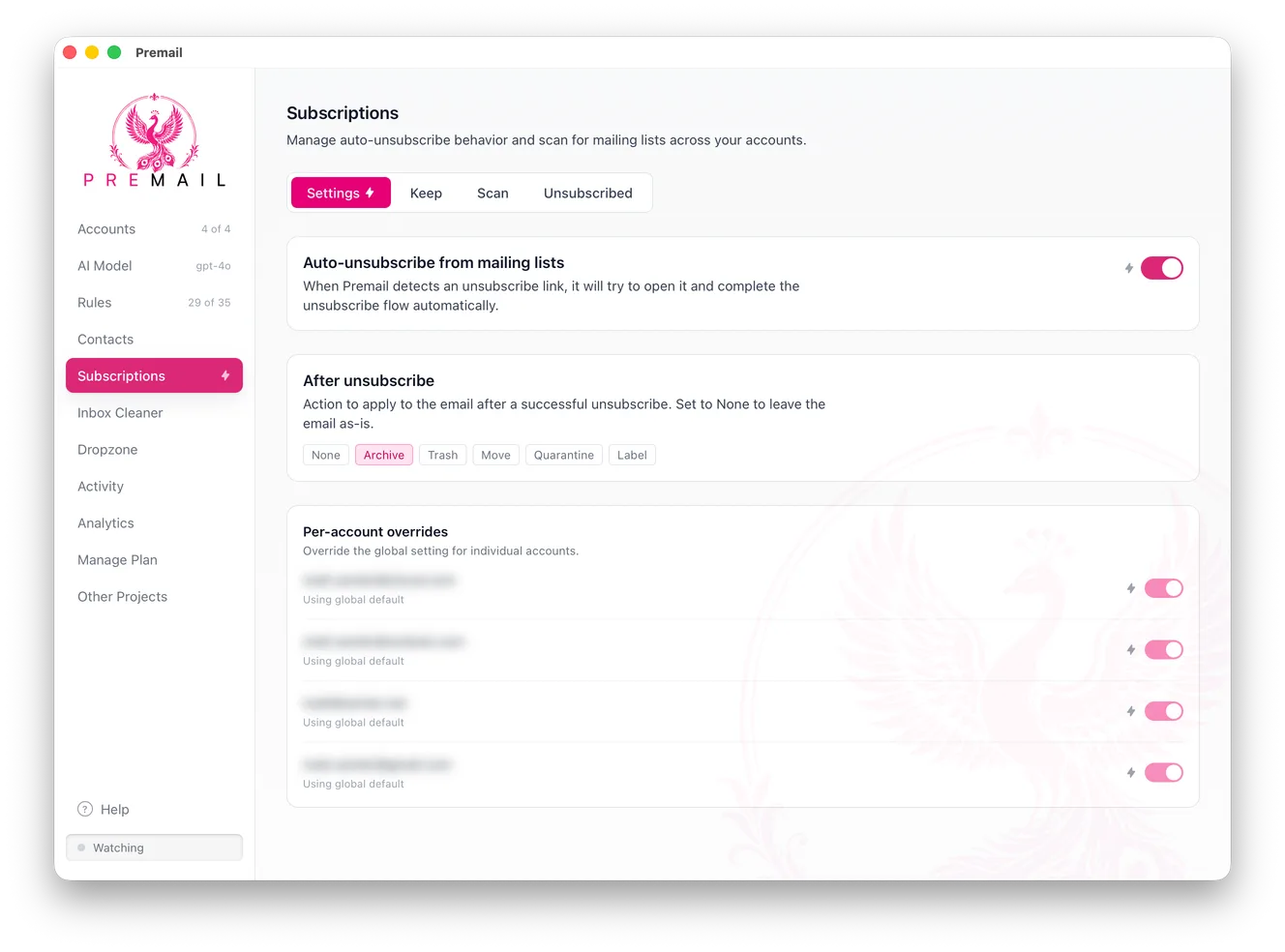
Premail's Subscriptions screen lists recurring senders across accounts, with an auto-unsubscribe toggle and an after-unsubscribe action (I use Archive). You can protect the few lists you want. That is faster than clicking List-Unsubscribe headers one by one, and it is the same decision: keep or cut.
The habit that undoes the folders
An organized inbox you check forty times a day is still a stressful inbox. Badges and lock-screen previews trained most of us to treat every arrival as a tap on the shoulder. Folders do not fix that. Batching does: two or three windows a day, notifications off, mail closed in between. That is the behavioral half, written up on its own as stop checking your email and how to manage email overload.
If you only do one thing from those pieces, turn off the badge. The folders will still be there when you next open the app on purpose.
Provider notes, without duplicating the spokes
Gmail gives you labels, categories, and powerful search. Use labels for the five folders, ignore the default Promotions tab as a filing system (it is a guess, not your judgement), and lean on from: and older_than: for the one-time clean. The click-by-click version is the Gmail spoke.
Outlook gives you Focused Inbox, Sweep, Quick Steps, and categories. Focused Inbox is a start, not a system; train it for a week, then put Receipts, Reading, Notifications, and Quarantine in Favourites so Ctrl+Shift+V has somewhere useful to go. The Outlook spoke covers the rest.
iCloud and Apple Mail have fewer bulk tools. Folders plus rules still work. Smart Mailboxes, as in the screenshots above, are how you watch one category across several accounts without living in a folder list.
What to do when a message does not fit
Some mail is genuinely mixed: a newsletter that also contains a one-off invoice, a colleague who also forwards marketing, a school thread that is half logistics and half chatter. Do not invent a sixth folder for mixed mail. File it as the thing you would have to act on. If you must pay the invoice, it is a Receipt even if the rest of the message is a pitch. If you must reply, it stays in the inbox. Ambiguous mail is rare once newsletters and receipts are gone; it feels common only while everything still sits together.
The other exception is mail you might need for a deadline next month. That is still not an inbox item. Put it in Receipts or Archive and search for it later. Search is cheaper than a "Later" folder that becomes a second inbox. I have never lost a tax document to Archive. I have lost weeks to a Later folder I was afraid to open.
If a sender is important enough that no rule should ever touch them, allowlist that address or domain. That is a person decision, not a folder decision, and it belongs on the allowlist rather than as a seventh mailbox.
Revisit the folders after a month, not after a day. If Receipts is empty, you do not get that much commerce mail; drop it. If Quarantine is where you now live, the rules are too aggressive. Adjust one thing at a time. The system is allowed to shrink. It is not allowed to grow a folder every time a new kind of message arrives.
A week-one setup that does not require Premail
You can run this entire system by hand. Create the folders. Unsubscribe. Archive the backlog. Write three client filters for the senders you already recognize. Turn off badges. That is a working inbox. Premail is what keeps it working when the senders change and you do not want to maintain the filter list. Use it or do not; the folders are the same.
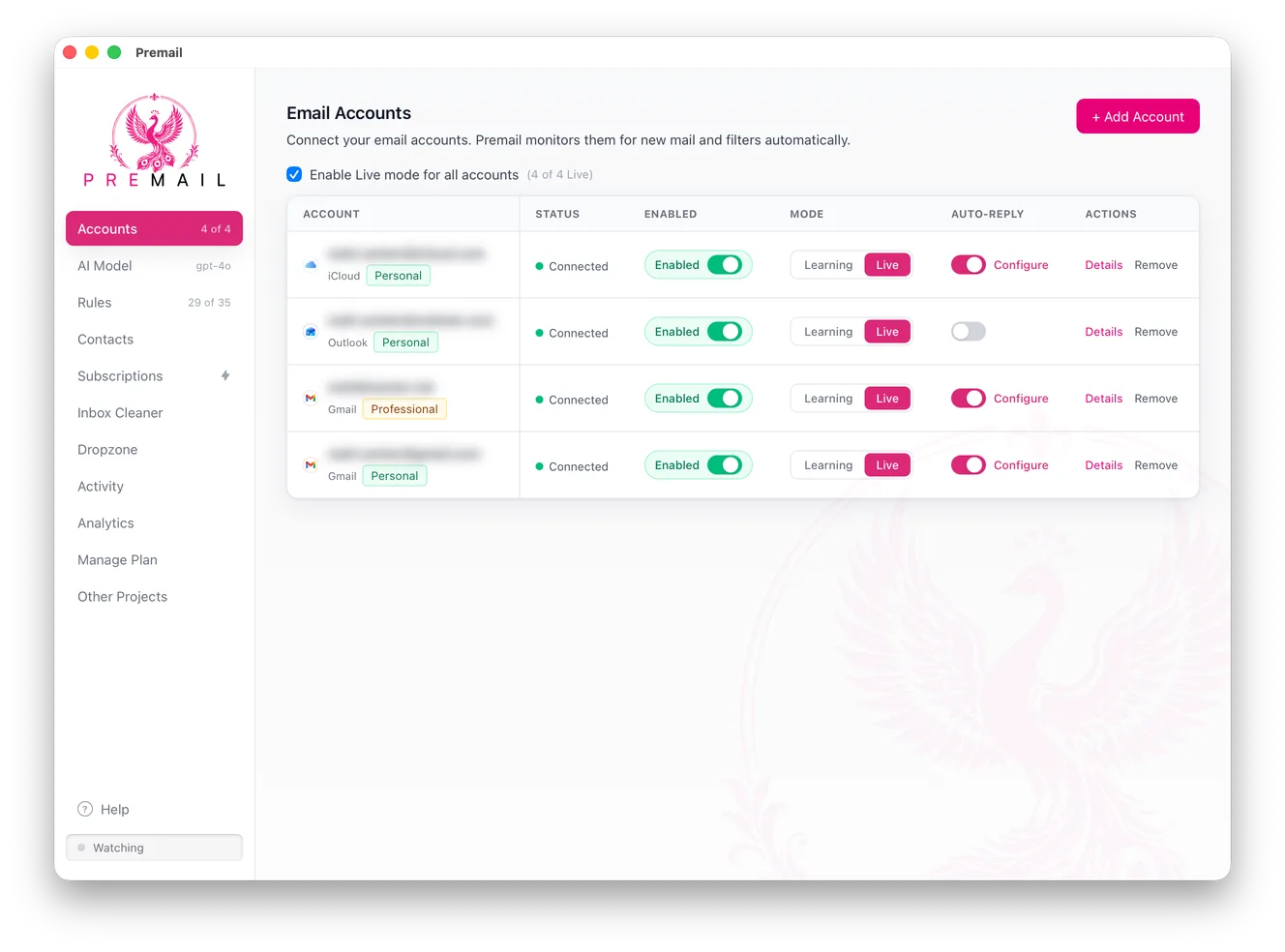
If you do use it, start in Learning mode on each account, watch a day of decisions, then flip Live. Connect Gmail, Outlook, and iCloud side by side if you have them. The same five folders can exist in each account; you do not need a sixth system for the second address.
The short version
- The inbox is only for things that need you. Everything else gets a home elsewhere.
- Five folders cover almost everything: Receipts, Reading, Notifications, Quarantine, Archive.
- Sort on arrival, not after the pile builds up.
- Unsubscribe aggressively and declare email bankruptcy on the backlog.
- Let software do the ongoing sorting so the system actually lasts.
Do that, and your inbox becomes what it should have been all along: a small, calm place you visit on your schedule, where everything in front of you actually wants your attention.