
How Premail's AI Rules Filter Your Inbox
· Written by Matt Senter, creator of Premail
Every email that hits your inbox passes through Premail before you see it. The process is fast, runs on your computer (Mac, Windows, or Linux), and built around a simple idea: evaluate every component of the message with a suite of AI-powered rules, then take the action you've configured.
What Premail evaluates
When a new message arrives, Premail reads its components (sender address, display name, sending domain, subject line, and message body) and passes them through a suite of AI-powered rules. Each rule looks at a different signal: sender reputation, subject line language, domain characteristics, body content patterns.
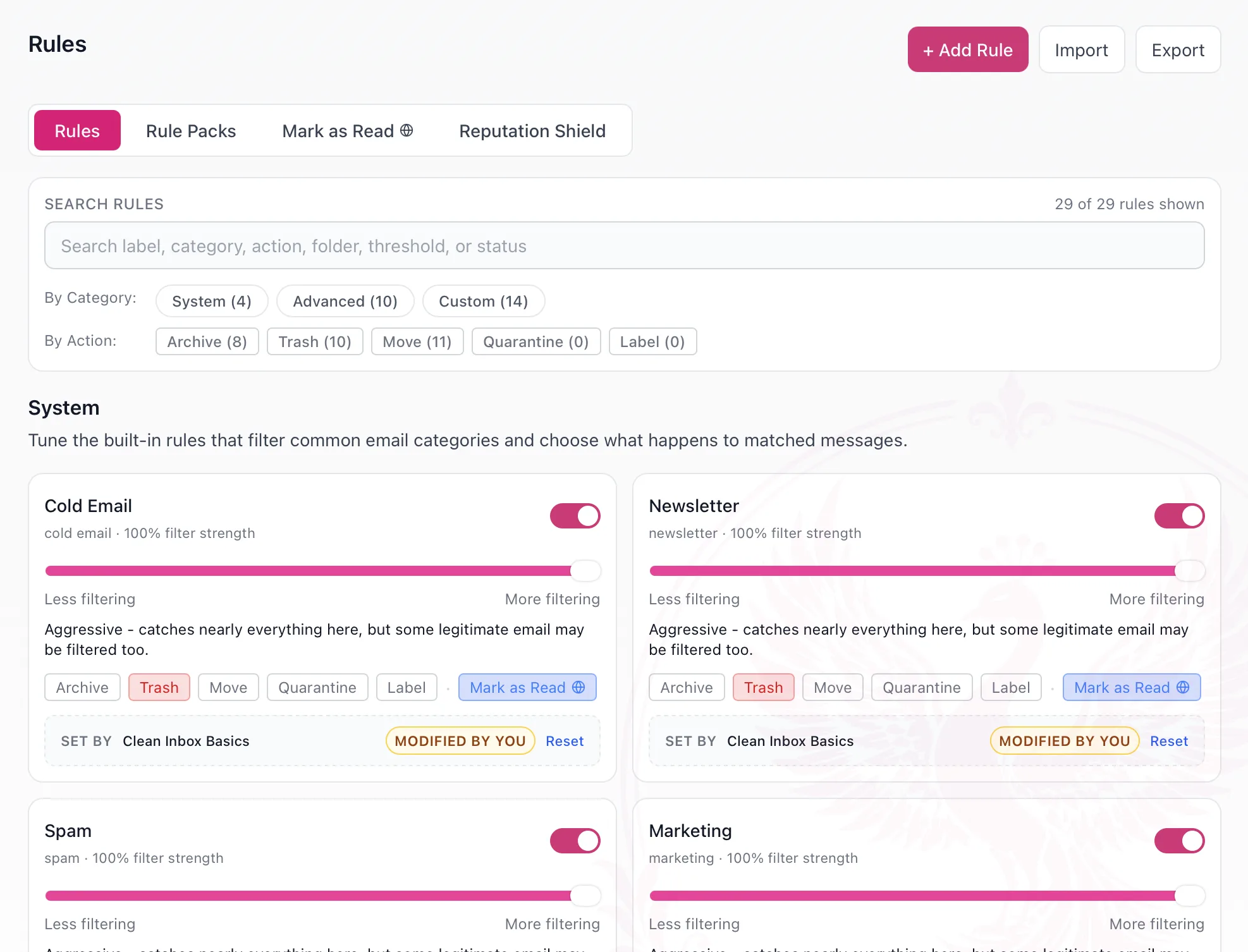
The rules combine their results into a category: things like "recruiter outreach," "newsletter," "transactional," or "genuine message," along with a confidence score. If the confidence is high enough and you have a rule for that category, Premail takes the configured action: move to a folder, archive, trash, or quarantine.
Premail has no servers processing your private data
Premail is a desktop app for Mac, Windows, and Linux, not a cloud service. There are no Premail servers processing your private data. Your email credentials live locally on your computer. Your rules live on your machine. We never see your email. Ever.
One exception, for payments only: if you upgrade to Premail Pro, checkout is handled by Stripe. Stripe requires your email address to process the payment and send a receipt. That email goes to Stripe, not to us, and it is never linked to your inbox content or any classification activity.
What happens instead depends on which AI engine you choose.
Three AI engine options
Premail supports three ways to run the AI classification, and you choose which one fits your privacy needs:
- Ollama (fully local): classification runs entirely on your computer. No data leaves your machine. This is the most private option. We recommend the qwen3 model for best results.
- Anthropic (BYOK): you bring your own Anthropic API key. Email data is sent directly from your computer to Anthropic's servers under your account. Premail is not in the loop.
- OpenAI (BYOK): same as above, but via your own OpenAI key and OpenAI's servers.
In all three cases, nothing passes through Premail. With Ollama, nothing leaves your machine at all.
Why this is different
Most email filtering tools operate as a man-in-the-middle: your email routes through their servers, they scan the full content, and they decide what you see. They have complete access to your inbox.
Premail never touches your email in transit. Classification happens on your machine, using an AI engine you control. The result is a tool that's more capable, evaluating the full message, not just a subset of fields, while keeping you in control of where your data goes.