
Manage Email Subscriptions
Last updated
The Subscriptions tab scans your inbox for mailing list subscriptions. It looks for List-Unsubscribe headers and list-specific signals, with List-Id as the definitive mailing-list proof. Shared-recipient mail without List-Id is treated as a group, not a mailing list.
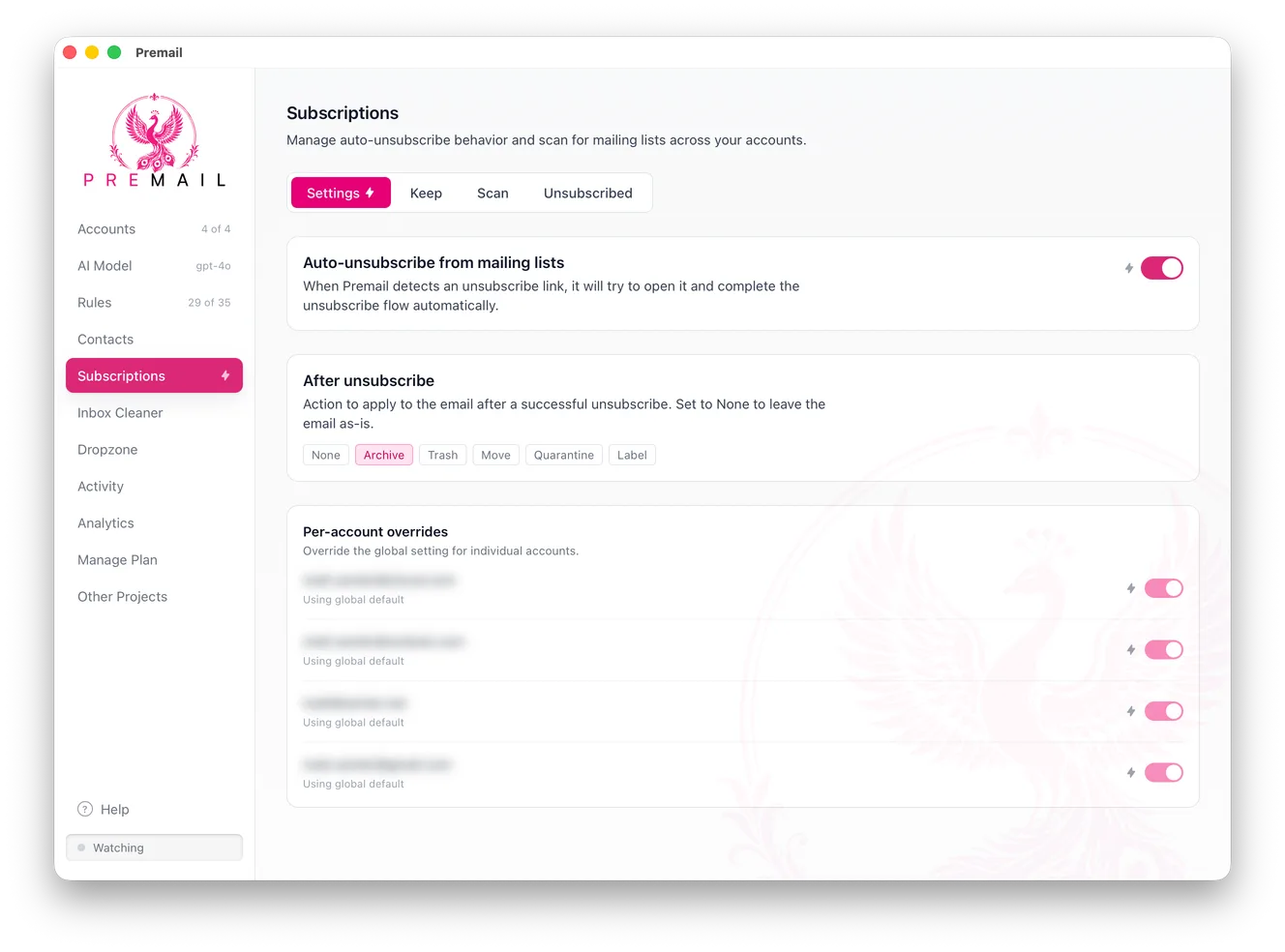
For each subscription found, you can:
- Unsubscribe: Premail uses the unsubscribe link embedded in the message to remove you from the list. This happens asynchronously. Some lists honor it within minutes; others treat the legally permitted 10-business-day window as a maximum rather than an upper limit.
- Keep: adds the sender to your Unsubscribe Protection list so Premail never tries to remove you from it automatically.
What is Unsubscribe Protection?
The protection list is for subscriptions you actually want. Anything on this list will be left alone even if it looks like a mailing list. Useful for transactional emails that happen to use mailing list headers, or newsletters you genuinely enjoy.
How does a subscription scan work?
The Subscriptions tab scans your inbox, uses AI to decide which messages are subscription-based, and groups what it finds by sender with a message count against each one. The count is the useful part: it turns "my inbox is noisy" into "this one newsletter sent me 84 messages", which makes the decision obvious.
Scan results are saved, so you can unsubscribe from a few, close the tab, and continue later without re-scanning.
How do you unsubscribe from a list?
Premail follows the unsubscribe link for you, one sender at a time or in bulk. You also choose what happens to the messages afterwards - archive or trash the thread - so clearing the backlog and stopping the source are a single action.
Auto-unsubscribe mode can be turned on per account, so an aggressive setting on a personal address does not have to apply to a work one.
How do you protect lists you actually want?
Some subscriptions are worth keeping. Unsubscribe Protection marks a sender so Premail will never auto-unsubscribe from it, even when auto-unsubscribe is on. Set it up alongside your allowlist before enabling auto-unsubscribe on a busy account.
Where does the message go after an automatic unsubscribe?
Automatic unsubscribes only run when one of your rules matched the message, and that rule’s action decides where the message ends up. When the unsubscribe succeeds, the message is archived, trashed, moved, labeled, or quarantined exactly as the rule says, so it only lands in Trash when the rule’s action is Trash.
Not every sender honours an unsubscribe request, and some links fail outright. When an automated unsubscribe fails, Premail says so in Activity and still applies the matched rule’s action, so the message is filtered the same way it would have been without the unsubscribe. If the rule has no action Premail can apply (for example, a Move rule with no folder), the message stays in your inbox.
Which unsubscribe links will Premail not open?
Premail never tries to unsubscribe from mail it classifies as spam, phishing, or malware. Clicking an unsubscribe link in that kind of mail can confirm to the sender that your address is live, or lead to a scam page. Those messages are still filtered by your rules.
Premail also refuses to open link shorteners and QR-code redirect links, and it only follows an unsubscribe link found in the body of a message when the link points to the sender’s own domain. When no safe link is left, the unsubscribe is reported as failed and nothing is opened.
Still have questions?
Contact Support (for Pro members)