
Premail Now Syncs Your Contacts so You Never Miss Mail from People You Know
· By Matt Senter
Every inbox tool has the same failure mode. Filter aggressively and you trash mail from a real person you forgot to allowlist. Filter conservatively and your inbox fills back up with the recruiter noise you installed the tool to stop. Pick one. Live with the tradeoff.
We never liked the tradeoff. So Premail now imports your address book and uses it as a signal during rule processing. People you actually know are treated like people you actually know. Strangers still get the full treatment.
The problem with binary allowlists
Most allowlists are binary. A sender is either on the list or off it. If they're on, all filtering is skipped. If they're off, filtering runs as if you've never heard of them. That works for your bank and your mom. It does not work for the 2,000 people in your contacts who include old colleagues, vendors you bought something from once, the doctor's office that emails you a billing receipt twice a year, and a few hundred others you forgot existed.
Putting all of those people on a global allowlist means newsletters from them never get archived, receipts never get filed, and shipping notifications never get organized. Leaving them off means a cold-pitch rule might trash an email from a real client because the AI decided their wording sounded promotional.
A third state: Rules Apply
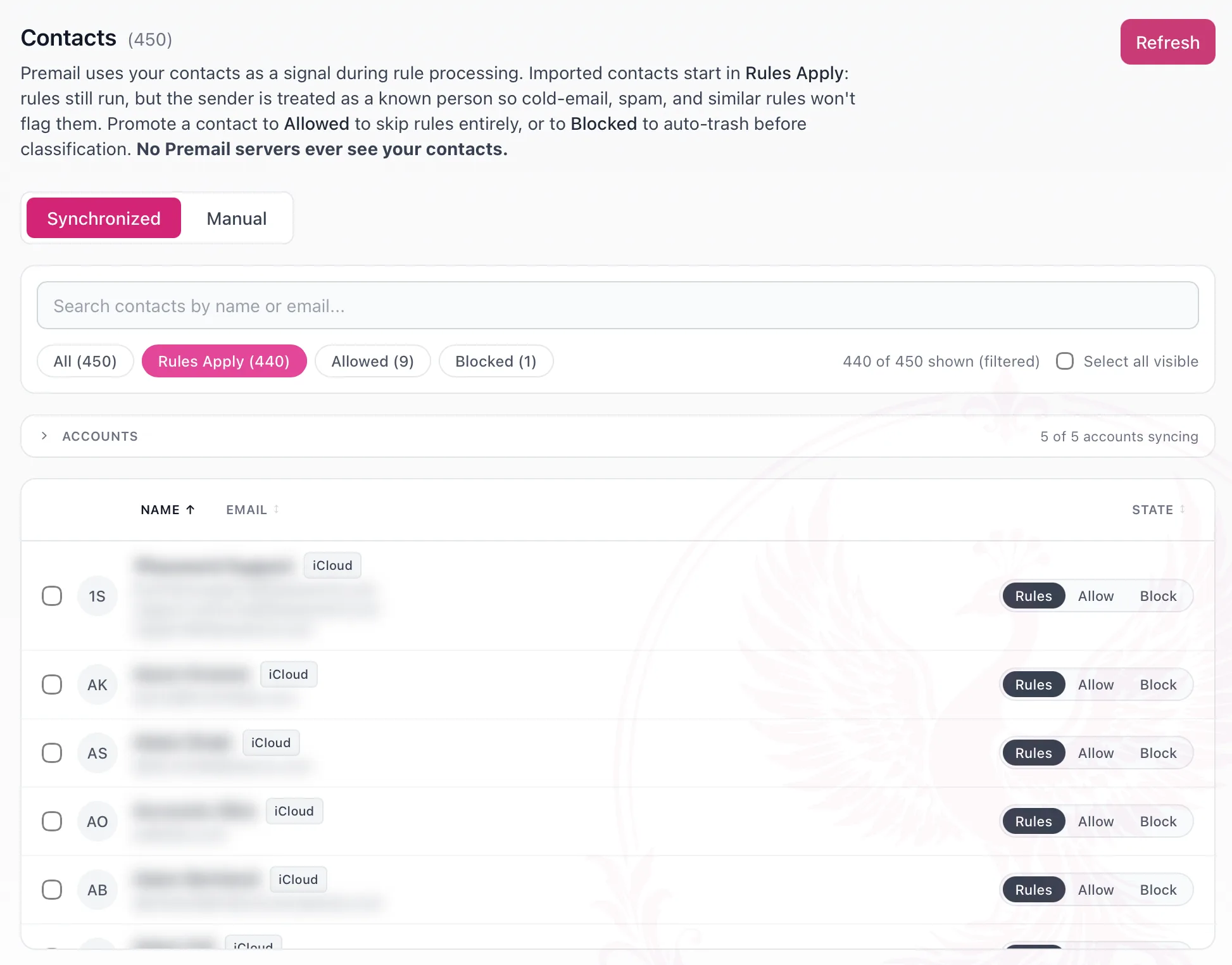
Premail's synchronized contacts default to a new state called Rules Apply. Rules still run, but Premail now knows the sender. Cold-email, spam, marketing, recruiter, fundraising, conference-invite, affiliate-marketing, and AI-generated-outreach rules will not match, because none of those should fire on someone whose email is sitting in your address book. Newsletter, commerce, shipping, security-alert, travel, and finance rules still run normally, and so do all of your custom rules.
For senders that need different behavior, the per-contact segmented control lets you promote them to Allowed (skip everything, deliver to inbox) or demote them to Blocked (auto-trash before classification). The three states cover the full range, from "treat this person normally but never call their mail spam" to "I never want to see this address again."
Why account-level sync, not OS sync
An earlier draft of this feature pulled contacts from macOS Contacts, Windows WinRT, and Linux Evolution Data Server. We dropped it. Every connected mail account already exposes the same address book through its own API, and that account is typically what populates your OS contacts anyway. So Premail syncs per account: Google People API for Gmail, Microsoft Graph for Outlook, CardDAV for iCloud.
Net wins: cross-platform with no per-OS native bindings, no new system entitlements, and the same OAuth tokens and app-specific passwords you already have on file. Your iCloud app-specific password works for both IMAP and CardDAV.
How it works in practice
One toggle per account in the Accounts tab. Default is on. New connects pull contacts on first refresh. Existing Gmail accounts may need a one-time Grant access click to add the Contacts scope to their existing OAuth grant. Outlook re-prompts the standard bundle. iCloud just works against your existing app password.
Inside the Contacts tab, a Synchronized subtab shows your deduped contact list. Search across name and email, filter by state, sort by any column, and select rows to bulk-promote or demote them. A Manual subtab holds the same allow/block lists Premail has always supported, just renamed and moved here so all of your sender preferences live in one place.
Honest caveats
Contacts must exist in the connected account. This is not "frequent senders" inference. If someone has been emailing you for years but is not in your address book, Premail still treats them as a stranger. Add them manually to your address book and they'll appear on the next refresh.
Google's consent screen for Gmail offers granular checkboxes. A user who unchecks Contacts at connect time will see "Needs permission" on that account card until they click Grant access to grant the single missing scope. Microsoft consent is all-or-nothing. iCloud requires an app-specific password generated from your Apple ID.
Sync is manual. There is no background refresh in v1. Click Refresh when you want to pick up new contacts.
Privacy posture
Your contact data is never sent to any Premail server. Premail has no servers processing your private data and never has. The CardDAV, Google People, and Microsoft Graph calls go directly from your computer to the provider, using the same OAuth token or app-specific password you already had on file. The results are saved locally in your app data directory.
Premail stores name and email only. No photos, no notes, no other address book fields. Your address book cannot leave your machine through Premail because there is no Premail backend for it to travel to.