
How to Stop Recruiter Spam Without Missing Real Opportunities
If you work in tech, you know the problem. Your inbox fills up with messages that look like this: "Hi [FirstName], I came across your profile and thought you'd be a perfect fit for an exciting role at..."
These messages are generated at scale by sales automation tools. They're not personal. They're not relevant. And they clog your inbox so badly that real messages from real people get buried.
Why standard spam filters don't help
Gmail's spam filter is trained to catch bulk commercial email and phishing. Recruiter outreach doesn't fit those patterns. It comes from personal addresses, it passes DMARC checks, and it's technically solicited (LinkedIn makes your email findable). So it lands in your inbox every time.
You can create Gmail filters manually, but recruiters use dozens of different domains and subject line variations. Manual filters break immediately.
How Premail handles it
Premail uses AI to evaluate every component of an incoming message (sender name, sender domain, subject line, and body) against a suite of rules specifically tuned to recognize recruiter cold outreach:
- Generic subject lines: "Exciting opportunity," "Your experience caught my eye," "Quick question"
- High-volume sender domains associated with recruiting firms
- Fake personalization patterns common in sales automation tools
- SDR outreach from platforms like Apollo, Clay, and Outreach
When Premail classifies a message as recruiter cold outreach with high confidence, it moves it to a Quarantine folder. The message is never deleted, so you can review it any time. It just doesn't interrupt you.
What about real recruiters?
This is the key question. Most people don't want to miss a genuinely good opportunity, just the noise.
Premail is tuned conservatively on this dimension. Messages from recruiters at companies you've applied to, messages from known contacts, and messages with specific personal context are less likely to be quarantined. Cold outreach with no personal signal is far more likely to be filtered.
You can also set up a rule to always let through messages from specific domains or email addresses, useful for recruiters at companies you're actively interested in.
Setting it up
Once Premail is installed and connected to your Gmail, Outlook, or iCloud account, recruiter filtering works out of the box. The default ruleset includes a "Recruiter Outreach" category with a Quarantine action pre-configured.
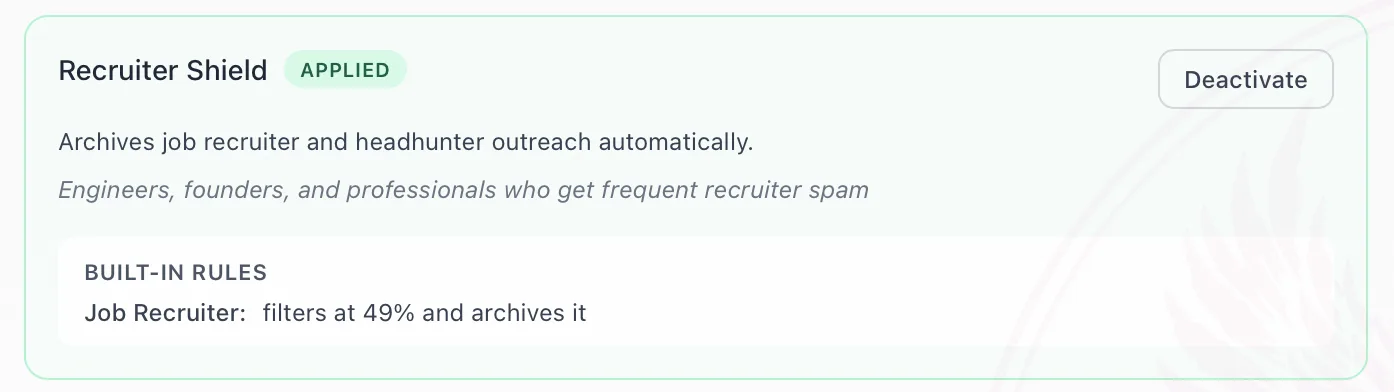
You can review everything in the Quarantine tab at any time, and promote messages to your inbox if Premail gets something wrong.