
Less noise. More life.
Private AI email filtering for Mac, Windows, and Linux
Your email needs a filter. Not a new home.
Premail is the AI companion that handles the clutter in Gmail, Outlook, and iCloud. Keep your email app. Get your attention back.
Free for two personal inboxes. No Premail account required. Already using Premail? Upgrade to Pro
 Your rules decide what stays.
Your email. Same as ever.Premail works in the background.
'%3e%3ccircle%20cx='512'%20cy='512'%20r='509.5'%20fill='white'%20stroke='%23EA4335'%20stroke-width='5'/%3e%3cg%20clip-path='url(%23clip1_40_477)'%3e%3cpath%20d='M239.159%20749H339.864V504.818L196%20397.091V705.909C196%20729.753%20215.35%20749%20239.159%20749Z'%20fill='%234285F4'/%3e%3cpath%20d='M685.136%20749H785.841C809.722%20749%20829%20729.681%20829%20705.909V397.091L685.136%20504.818'%20fill='%2334A853'/%3e%3cpath%20d='M685.136%20318.091V504.818L829%20397.091V339.637C829%20286.347%20768.074%20255.968%20725.418%20287.927'%20fill='%23FBBC04'/%3e%3cpath%20d='M339.864%20504.818V318.091L512.5%20447.364L685.136%20318.091V504.818L512.5%20634.091'%20fill='%23EA4335'/%3e%3cpath%20d='M196%20339.637V397.091L339.864%20504.818V318.091L299.582%20287.927C256.854%20255.968%20196%20286.347%20196%20339.637Z'%20fill='%23C5221F'/%3e%3c/g%3e%3c/g%3e%3cdefs%3e%3cclipPath%20id='clip0_40_477'%3e%3crect%20width='1024'%20height='1024'%20fill='white'/%3e%3c/clipPath%3e%3cclipPath%20id='clip1_40_477'%3e%3crect%20width='633'%20height='474'%20fill='white'%20transform='translate(196%20275)'/%3e%3c/clipPath%3e%3c/defs%3e%3c/svg%3e) Gmail
Gmail Outlook
 iCloud
Apple Mail, Outlook, your browser… keep whichever client you use.
Let the right things through.
Filter the email that does not deserve your attention.
Cold pitches. Endless promotions. Newsletters you never get around to. Tell Premail what to handle, and what to do with it.
A little less sorting. A lot more control.
Choose the category. Set the action. Adjust the filtering strength. Your inbox, on your terms.
Quick question about your growth strategy
I wanted to get fifteen minutes on your calendar…
Would archive
Preview only. Your email hasn't been touched.
Interactive illustration, not the app interface. No real email is connected.
A look inside the real app
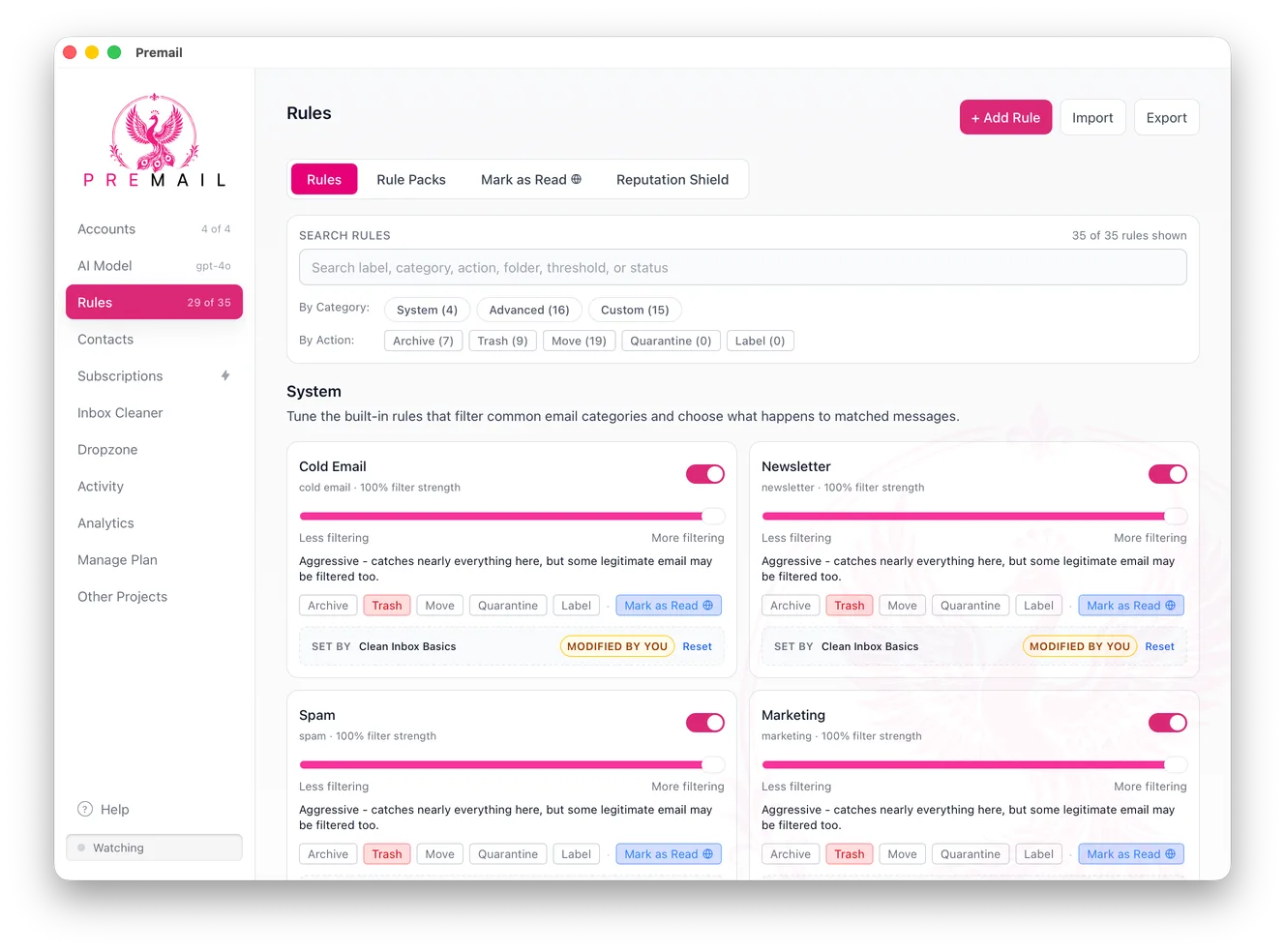
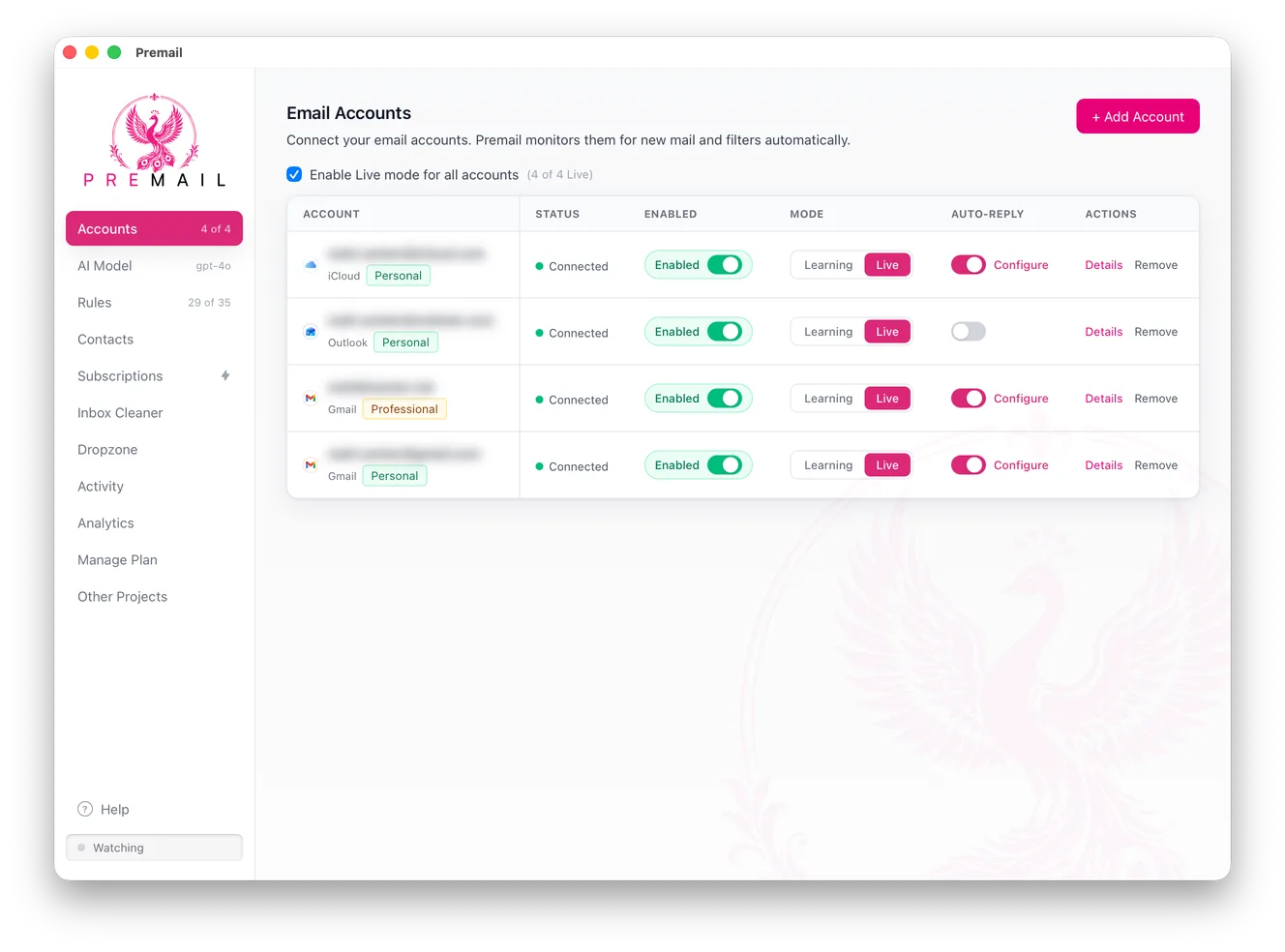
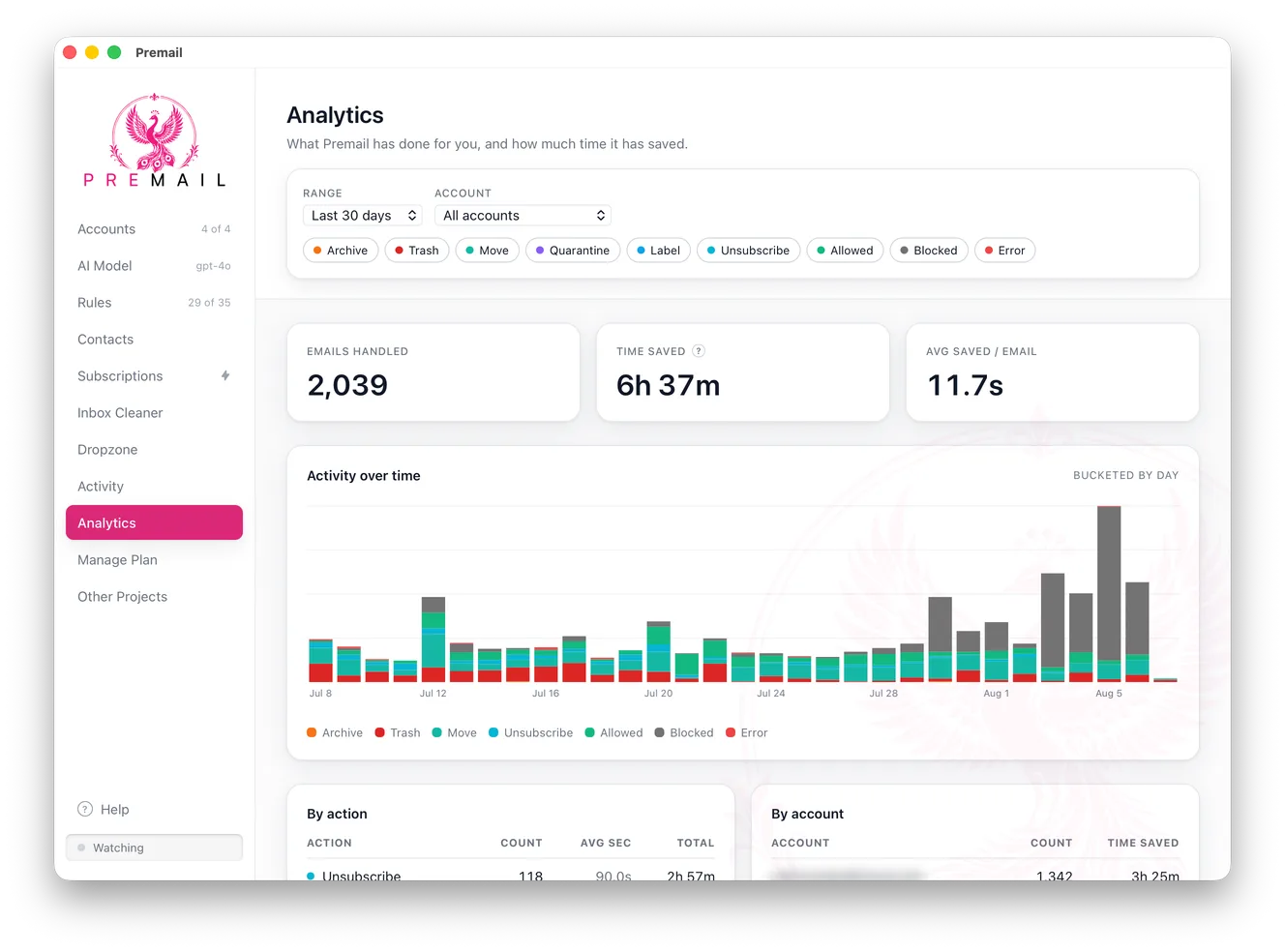
Archive, trash, move, quarantine, or leave it alone.Explore all features
What Premail actually does
Most email tools ask you to move in. Premail does not. It sits in your menu bar or system tray and works on the inbox you already have, in the client you already use, whether that is Apple Mail, Outlook, Thunderbird, or a browser tab. When a new message arrives, Premail reads it, decides what kind of mail it is, and applies the rule you set for that category - archive it, trash it, move it to a folder, quarantine it, or leave it alone.
The classification runs against an AI model of your choosing. You bring your own Anthropic or OpenAI key, or you point it at a local Ollama model or Apple Intelligence on a compatible Mac, and nothing leaves your machine at all. There is no Premail server in the middle reading your mail, because there is no Premail account: you download the app and it talks to your mail provider directly. That is the whole difference from cloud filtering services, and it is why we publish a Trust Center and a third-party security assessment rather than asking you to take it on faith.
It is built for people whose inbox has stopped being useful: engineers buried in recruiter outreach, founders drowning in cold email, anyone with a decade of newsletters they never unsubscribed from. If you have tried organizing your inbox by hand and watched it refill in a week, that is the problem this solves - not by giving you another folder system to maintain, but by handling the mail before you ever open the client.
Nothing is destructive by default. Every account starts in Learning mode, where Premail shows what it would have done without touching a single message, so you can check its judgement against your real mail before you hand it the keys. The Activity log records every decision it makes, and an allowlist guarantees the senders you care about are never filtered at all.
You still do not want to babysit an inbox, even a quiet one, so Briefings writes you a short scheduled digest instead: what needs a reply, what is still waiting, and how much Premail already handled without you. Read it on your own schedule and skip the inbox entirely.
Election season brings its own flood. The Political Pack files campaign fundraising asks, polls, petitions, and PAC mail into their own folder, for every party alike, while your election office's ballot notices stay where you can find them.
Premail runs on macOS, Windows, and Linux, and it is free for up to two personal inboxes. Pro adds professional inboxes, unlimited custom rules, and Reputation Shield, as a subscription or a one-time Lifetime license. If you are weighing it against a hosted service, the SaneBox comparison lays out where each one genuinely wins.
How Premail works: a calmer inbox, no migration
No migration. No extension to install. And no handing over control on day one.
Connect your inboxes.
Add your Gmail, Outlook, or iCloud accounts. Keep reading mail in the app you already use.
Choose your AI.
Use your own Anthropic or OpenAI API key, run classification locally with Ollama, or use Apple Intelligence on a compatible Mac.
Watch. Then let it work.
Start in Learning mode. Review what Premail would do, then switch each account to Live when you’re ready.
Your email is not our business.
Your computer.
Your AI.
Your control.
Premail connects directly to your mail provider. Your rules and account configuration stay on your computer. We don’t run a server that receives or processes your email.
See exactly where your data goes
Ollama classification stays on your device.
Direct to your provider. Your key. Your account.
Cloud AI receives the email content needed for classification.
Less clutter. No complicated plans.
Pricing: start free, then make it yours
Free
A quieter personal inbox.
No Premail account required.
- Up to two personal inboxes
- Core AI email filters
- Up to five custom rules
- Learning mode and quarantine
Pro
For work & personalMore control. Across your email life.
Billed annually. $6.58 per month.
- Work and professional inboxes
- Unlimited custom rules
- Reputation Shield & advanced packs
- Backup, restore & priority support
Lifetime
Early adopterYour inbox. Your app. For keeps.
One payment for the desktop app.
- Pro features for the downloaded app
- No recurring Premail subscription
- Your own cloud or local AI
- The same private-by-design approach
Cloud AI usage is billed separately by your provider. Local Ollama and Apple Intelligence have no AI usage fee.
Lifetime covers the desktop app; future cloud features may carry separate fees. Compare plans.
Fair questions.
Premail FAQ: before you invite the peacock in
Here’s what’s worth knowing before you connect an inbox.
More answers in HelpDo I have to change my email app?
No. Premail is a separate companion app that acts on your inbox, not a replacement for your email client. Keep using Apple Mail, Outlook, Thunderbird, or your browser.
Will it start moving my email immediately?
No. Accounts start in Learning mode, which previews decisions without changing messages. You choose when to switch an account to Live.
Does my email get sent to AI companies?
That depends on your setup. With a cloud AI provider, classification requests go directly from your computer to that provider. With local Ollama or Apple Intelligence, classification stays on your computer. There is no Premail mail-processing server in any of these paths - your mail sync itself still talks to your email provider over the network no matter which AI model you choose.
What do I need to get started?
The Premail desktop app, a supported email account, and an AI model: your own Anthropic or OpenAI API key, a local Ollama setup, or Apple Intelligence on a compatible Mac running macOS 26 or later.
Partner recommendation
Less inbox clutter. Less scheduling back-and-forth.
Premail helps you spend less time managing email. Our friends at CalendarPA help you spend less time arranging meetings, with booking pages and an AI assistant that handles scheduling over email, text, and chat.
We may earn a commission when you subscribe through this link.
Keep your email. Reclaim your attention.