
Community Rule Import/Export
Last updated
Community Rule Import/Export lets you save your entire rule configuration to a JSON file and load one from someone else (or another machine). Use it to back up your setup, sync rules across multiple computers, or share a finely-tuned filter recipe with the community.
What is included in a community rules export?
- Built-in rules with any threshold or action overrides you have made
- All of your custom rules, with their actions, folders, and filter strengths
- Applied rule packs (free and Pro) and their stack order
- Your Allowed Senders and Blocked Senders lists
- Filter-related app settings, such as mark as read, auto-unsubscribe, Reputation Shield, and the post-unsubscribe action
What is not included?
- Your email accounts, passwords, and sign-in tokens
- Your AI provider, model, and API key
- Synchronized contacts, the activity log, and analytics
- Per-account preferences such as Learning or Live mode and auto-reply messages
To move all of that between your own computers, use Settings Backup & Restore instead. A rules file is built for sharing; a settings backup is built for moving your whole setup.
How do you export rules?
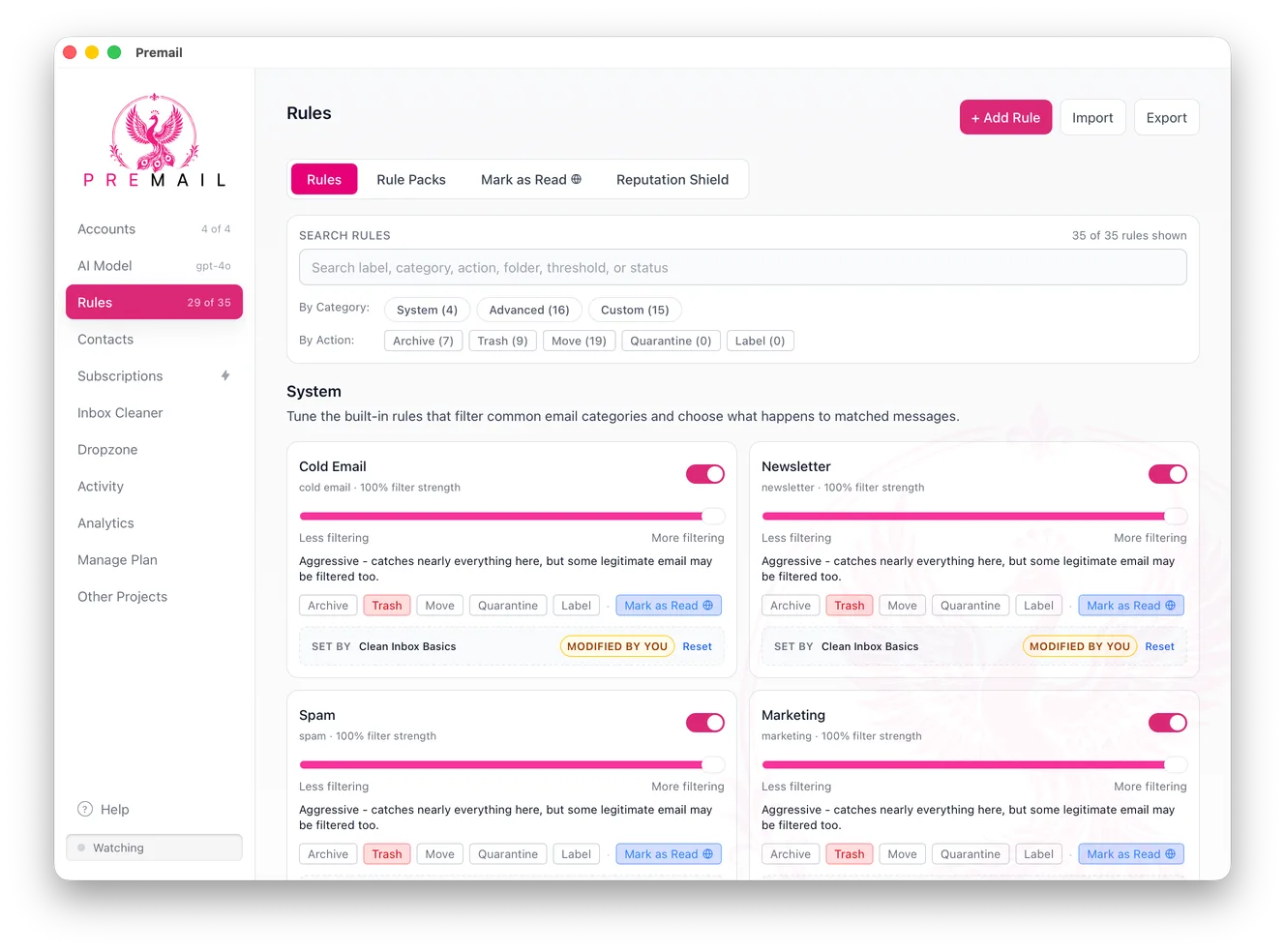
- 1Open the Rules tab and click
Export. - 2Choose where to save the file in the save dialog. The suggested name is
premail-rules.json. - 3Premail confirms with a Rules Exported message once the file is written.
How do you import rules?
Open Rules, click Import, and pick a premail-rules.json file. Premail validates the file first. If anything in it is malformed, such as an unsupported action, a filter strength outside 0 to 100, or a folder name containing control characters, the import is refused with a message saying what was wrong, and nothing changes.
A valid import replaces your rule configuration rather than merging with it. Your built-in rule settings, custom rules, and rule packs become the ones in the file. If the file carries settings or sender lists, those replace yours too. Export your own rules first if you might want them back.
Is it safe to import someone else's rules?
The file is plain JSON, so open it in a text editor and read the custom rules before you load it. Look at what each rule trashes, and check the Allowed Senders list: an allowed domain skips every rule, so an unexpected one would let that sender's mail straight through.
Premail treats a shared file as untrusted. Folder and label names are checked before they can reach your mail server, and the Gmail option to apply actions to a whole thread is always switched off on import, even if the file turns it on.
How do you share rules with the community?
Drop your exported JSON in a gist, forum thread, or Discord and other Premail users can import it directly. Before you post it, remember the file includes your Allowed Senders and Blocked Senders lists, which can contain the addresses of people you know. Remove anything personal from those lists in the file first.
Still have questions?
Contact Support (for Pro members)